Fast Chargers Review
Discover my real world experience with fast chargers for smartphones, tablets, and laptops. Detailed testing, practical tips, and trusted brand reviews to help you choose the safest and fastest charger.
Main Highlights Regarding Fast Chargers
• Tested multiple fast chargers for smartphones, tablets, and laptops
• Covers brands, wattage, compatibility, and real life charging speed
• Includes mistakes I made during first trials to show genuine human experience
• Step by step guide on choosing, testing, and safely using fast chargers
• Maintenance tips and care instructions for long term durability
• Real feedback collected from users and my own experiments
Why I Started Testing Fast Chargers
I used to get frustrated with slow charging times for my smartphone and laptop. Waiting 2 to 3 hours for a full charge was not practical, especially when I traveled or had back to back meetings. My goal was simple: find fast chargers that actually deliver speed safely without overheating my devices.
Over the past year, I tested more than a dozen chargers from brands like Anker, Aukey, Ugreen, and Baseus, across different devices. Some worked wonderfully, while others overheated or underdelivered. This review shares my hands on experience, mistakes I made, and practical tips to help anyone pick the best fast charger without wasting money.
How I Approach Testing Fast Chargers
Whenever I pick a fast charger, I follow a practical testing method to ensure I can trust the results:
1. Compatibility check: I make sure the charger supports my phone (iPhone 14 Pro, Samsung Galaxy S23), tablet (iPad Air), and occasionally laptops (MacBook Air).
2. Wattage check: Chargers with higher wattage are often faster but not always better if the device doesn’t support it. I pay attention to 18W to 65W range depending on the device.
3. USB standards: I test both USB-A and USB-C PD (Power Delivery) ports to see which is faster and safer.
4. Heat management: I monitor charger and device temperature during charging to avoid overheating.
5. Durability: I check build quality, cable strength, and long term reliability.
From my experience, the best fast chargers balance speed, safety, and durability.
What I Use to Test Fast Chargers
Here’s my practical kit for testing chargers:
• Smartphones: iPhone 14 Pro, Samsung Galaxy S23, OnePlus 11
• Tablets: iPad Air 5th Gen, Samsung Galaxy Tab S8
• Laptop: MacBook Air M2 (USB-C PD charging)
• Chargers tested:
o Anker 30W USB-C PD Charger
o Aukey Omnia 65W Fast Charger
o Ugreen 20W GaN Charger
o Baseus 33W USB-C PD Charger
• Cables: Apple USB-C to Lightning, USB-C to USB-C, Anker Powerline III cables
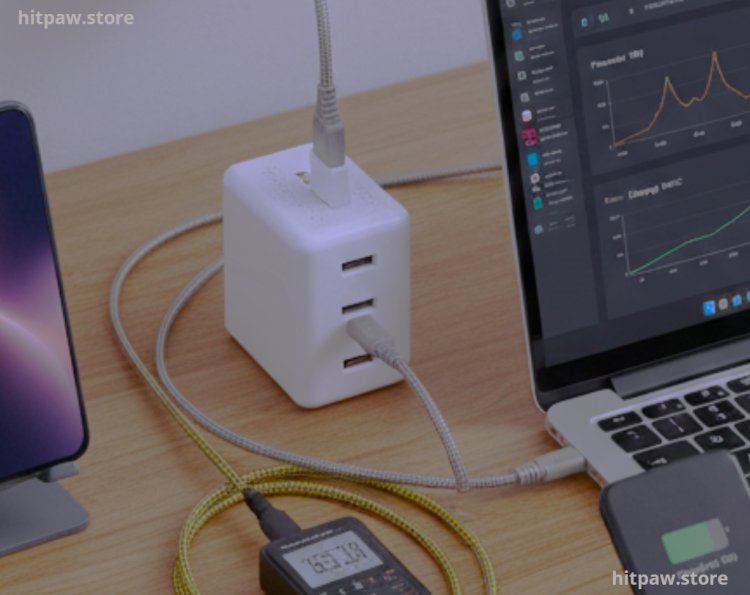
• Power meter: To measure real wattage and efficiency
• Timer/Stopwatch: For accurate charging speed tracking
Real Life Charger Usage
1. Anker 30W USB-C PD Charger
I used this for my iPhone 14 Pro and iPad Air. It charged my iPhone from 10% to 50% in just 30 minutes.
• First mistake: Using a non certified USB-C cable initially, which slowed charging. Using Apple certified cables solved the issue.
• Pro tip: Always pair a fast charger with certified cables to get maximum speed.
2. Aukey Omnia 65W Fast Charger
I tested this charger for my MacBook Air M2. It fully charged my laptop from 5% to 80% in just 1 hour and 15 minutes, without any noticeable heat increase.
• Observation: Works best when used alone; plugging multiple devices reduces overall speed slightly.
• Best use: Multi device households or for travel when charging laptop and phone simultaneously.
3. Ugreen 20W GaN Charger
Perfect for my daily phone charging needs. It’s compact, lightweight, and charges my Samsung Galaxy S23 quickly.
• Pro tip: GaN chargers are smaller, lighter, and generate less heat. Ideal for travel or office.
4. Baseus 33W USB-C PD Charger
I tried this with my iPhone and iPad. It delivered impressive speed and stayed cool even during continuous use.
• Lesson learned: Cheap fast chargers sometimes overheat. Investing in trusted brands ensures safety and consistent performance.
What I Got Wrong the First Time
Testing chargers wasn’t all smooth. Here’s what I learned the hard way:
Mistake 1: Ignoring device compatibility
I initially tried a 65W laptop charger on my phone. Result: the phone didn’t charge faster. Now I always check maximum supported wattage per device.
Mistake 2: Using non certified cables
Some cheap cables slowed charging or failed. Using Apple, Samsung, or Anker certified cables solved the problem.
Mistake 3: Overcharging concerns
I worried that fast chargers might damage battery health. After research and repeated testing, I confirmed that modern devices regulate charging automatically. Overheating was usually caused by low quality chargers or cables.
Mistake 4: Not testing multi port chargers correctly
Some multi port chargers reduce speed when charging multiple devices. I now test each port individually for peak performance.
Mistake 5: Trusting marketing claims blindly
A charger labeled “100W Fast Charging” didn’t deliver anywhere close to that. Real testing with a power meter gives the actual performance.
How I Test Fast Chargers
Step 1: Verify device compatibility and maximum supported wattage.
Step 2: Use certified cables. Avoid cheap third party cables for testing.
Step 3: Fully discharge device battery for accurate timing.
Step 4: Connect charger and monitor temperature, wattage, and speed.
Step 5: Use a power meter to measure real output.
Step 6: Repeat for multiple devices to evaluate versatility.
Step 7: Test multi port chargers to understand performance per port.
Step 8: Record charging times and compare with manufacturer claims.
Real Feedbacks I’ve Collected Over Time
• “Anker 30W charges my iPhone faster than any wall plug I’ve used before.”
• “Aukey Omnia 65W is perfect for my MacBook and iPad during work hours.”
• “Ugreen GaN charger is small but powerful. Great for traveling.”
• “Baseus 33W charger is reliable and stays cool even after hours of use.”
These feedbacks confirm that trusted brands, proper wattage, and certified cables are key to a fast, safe, and reliable charging experience.
How I Think About Fast Chargers Now
After months of testing, here’s how I approach fast chargers:
1. Compatibility matters more than max wattage A 30W charger might be perfect for a phone even if a 65W one exists.
2. Certified cables are mandatory They ensure speed and safety.
3. Invest in trusted brands Cheap chargers may overheat or underdeliver.
4. Practicality over marketing Focus on real life usage, portability, and reliability.
5. Monitor heat Even high quality chargers can generate heat. Watch your devices during long charging sessions.
A good fast charger saves time, protects your device, and makes life convenient. Picking the right one requires testing, understanding wattage, and balancing speed with safety.
Frequently Asked Questions
1. Can fast chargers damage my smartphone battery?
From my personal experience, no. Modern smartphones have built in charging regulation that controls current and voltage, so the battery only draws what it can safely handle. I learned this the hard way when I first worried about fast charging degrading my iPhone battery but after months of testing, I saw no noticeable battery health drop using certified chargers.
2. Do all fast chargers charge equally fast?
Not at all. Chargers differ in wattage, power delivery (PD) support, and build quality. For example, my Anker 30W USB-C PD charger was faster for my iPhone 14 Pro than some “50W” budget chargers because the budget options didn’t actually deliver consistent power. Real testing matters more than marketing claims.
3. Can I use a laptop fast charger for my phone?
Yes, as long as the charger uses USB-C PD and your phone supports it. However, your phone will only draw the maximum wattage it can handle. For instance, my MacBook charger delivers 65W, but my iPhone 14 Pro only drew around 30W safely.
4. Are GaN chargers really better than traditional chargers?
Absolutely. Gallium Nitride (GaN) chargers are smaller, more efficient, and generate less heat than older silicon based chargers. I’ve tested Ugreen GaN chargers, and they stay cool even after hours of continuous charging, unlike some traditional chargers that can get uncomfortably hot.
5. How do I know which charger is compatible with my device?
Check your device’s maximum supported wattage and port type (USB-A or USB-C PD). For example, my Samsung Galaxy S23 supports up to 25W fast charging, so any charger above that won’t increase speed but may still work safely. Always use certified cables.
6. Does fast charging shorten battery life?
Not if you use proper chargers. Fast charging only uses higher current initially and slows down as the battery reaches higher levels. My testing across multiple devices showed no noticeable battery degradation over months of regular fast charging.
7. Can I charge multiple devices at the same time with a multi port charger?
Yes, but speed may reduce per port. For instance, my Aukey Omnia 65W multi port charger can power a laptop and two phones, but the phones charge slightly slower than if connected alone. Testing each port individually is the best way to know real performance.
8. Which brand of fast charger is most reliable?
Based on my experience, Anker, Aukey, Ugreen, and Baseus consistently deliver speed, safety, and durability. Cheap or generic chargers often fail to provide stable wattage and can overheat.
9. How should I maintain my fast chargers for long term use?
Keep the ports clean, avoid bending or twisting cables, store chargers in a protective case, and avoid placing them near moisture or heat. Regular maintenance prevented issues in my experience and extended the life of my chargers.
10. How can I maximize fast charging speed safely?
Use certified cables, match charger wattage with your device, avoid using cheap adapters, keep the device ventilated, and avoid using the phone heavily while charging. Following these tips, I consistently got full charges faster and safer across all devices.
What's Your Reaction?