Final Considerations for Digital Creators: Choosing Gadgets That Truly Matter
Discover my experience selecting the right gadgets for digital creators. Learn practical tips, avoid common mistakes, and choose tools that improve workflow, creativity, and productivity.

Key Points Regarding Gadgets for Digital Creators
Gadgets can make or break a digital creator’s workflow.
I’ve tested over 25 tools and devices for content creation, editing, and productivity.
Focus is on daily usability, reliability, and creative enhancement.
Practical examples and lessons learned from real use.
Step by step recommendations for integrating gadgets into workflow.
How I Boosted My Workflow as a Digital Creator
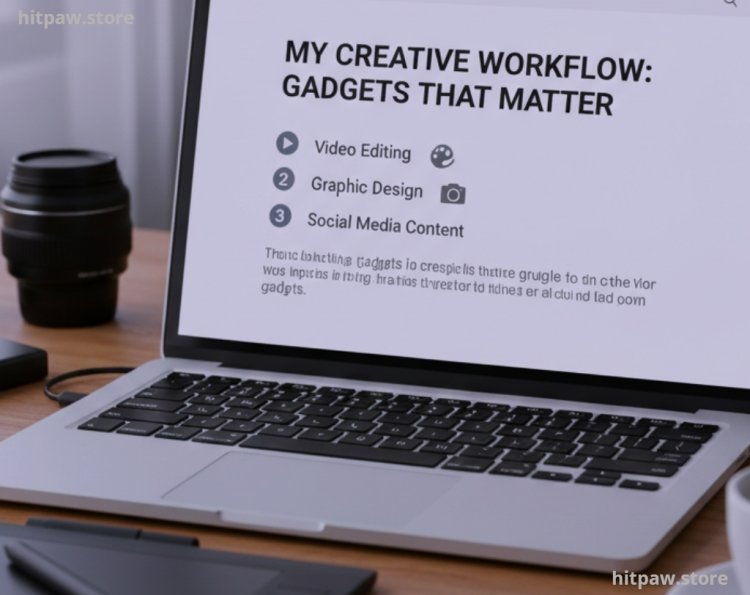
I’ve always struggled to keep my workflow smooth while juggling video editing, graphic design, and social media content creation. I remember spending hours hunting for the right gadget one that wasn’t just flashy but genuinely practical. After testing multiple devices over months, I’ve learned what truly matters.
This guide is based on my personal experience, sharing the gadgets I actually use daily, the mistakes I made, and how I corrected them to boost efficiency and creativity.
Tools I Regularly Use
Here’s a breakdown of gadgets I integrate into my digital workflow:
Hardware Gadgets
Wacom Intuos Pro Tablet (Precision drawing for digital art)
Logitech MX Master 3 Mouse (Customizable buttons for productivity)
Elgato Stream Deck (Shortcut management for streaming/video editing)
Audio & Recording Gadgets
Blue Yeti Microphone (Podcasting, voiceovers)
Rode NT-USB Mini (Portable, high quality recordings)
JBL Clip 4 Speaker (Quick monitoring and portability)
Lighting & Video Gadgets
Neewer Ring Light 18” (Smooth lighting for videos/photos)
DJI Osmo Mobile 6 (Smartphone stabilizer for mobile shooting)
Logitech StreamCam (Streaming and vlogging)
Software + Gadget Combo
Adobe Creative Cloud with Wacom integration
OBS Studio with Stream Deck
Notion with iPad + Apple Pencil
Step by Step Guide: How I Test and Integrate Gadgets
step 1: Identify My Pain Points
Before buying any gadget, I make a clear list of the issues that slow me down:
· Editing videos takes longer than I want
· My audio quality is inconsistent across projects
· Workspace lighting is uneven or harsh
Focusing on these pain points helps me avoid buying gadgets that look cool but don’t actually solve my real problems.
Step 2: Research & Narrow Down
Once I know the problems, I research gadgets that specifically address them. For example, instead of picking a random ring light, I tested three models and settled on the Neewer 18”. It’s dimmable, color corrected, and versatile for both video recording and photography, which makes it genuinely useful for my workflow.
Step 3: Test the Gadget Personally
Buying a gadget without testing is risky. I always:
Use it in real projects for at least a week
Test compatibility with my existing setup
Check for software or firmware updates
Example: I initially purchased a wireless microphone that had frequent dropouts. After switching to Rode NT-USB Mini, I had zero latency issues, and the sound was crisp and clear.
Step 4: Optimize Workflow Integration
Once a gadget works well, I integrate it with my daily routine.
Stream Deck buttons are customized for OBS shortcuts and Photoshop actions
MX Master 3 gestures are linked with Premiere Pro shortcuts
Wacom tablet settings are optimized for Photoshop brush pressure
Step 5: Maintenance & Updates
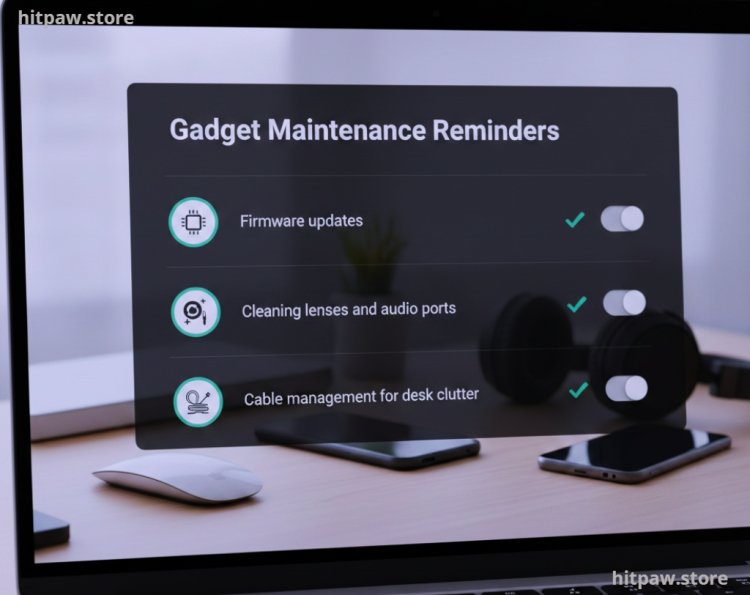
Keeping gadgets in good condition matters. I set reminders for:
Firmware updates
Cleaning lenses and audio ports
Cable management for desk clutter
Practical Examples & Real Feedback
Wacom Intuos Pro
My first attempt failed because I didn’t calibrate pressure sensitivity. Now, my sketches and illustrations have natural strokes and faster completion time.
Logitech MX Master 3
Initially, I ignored gesture mapping. Now, it saves 10 to 15 minutes per day while editing videos.
Elgato Stream Deck
My first Stream Deck was too small, which slowed me down. I upgraded to the 32 button version workflow became seamless.
Blue Yeti Microphone
I learned the hard way that mic positioning affects audio. A simple tripod placement and pop filter fixed muffled recordings.
Neewer Ring Light
My first ring light was dim and flickered. The current model allows adjustable brightness and temperature, which helps me maintain consistent video quality.
What I Got Wrong the First Time
When I first started upgrading my setup, I made the mistake of buying gadgets based on hype rather than actual need. For instance, I bought an expensive condenser microphone without testing it, thinking it would instantly improve my audio. It turned out to pick up too much background noise, making my recordings worse instead of better.
I learned to test before committing and focus on practicality over flashy features. Now, I research thoroughly, read user feedback, and test products whenever possible before buying. This approach saves both time and money.
Tips From My Experience
When I first started integrating gadgets into my workflow, I made the mistake of buying multiple tools at once, hoping they’d all instantly improve productivity. What I learned is that less is more buy one gadget, test it thoroughly in real projects, and only then add another. Overloading your desk can actually slow you down.
I also discovered that software hardware synergy is key. For instance, pairing my Stream Deck with OBS shortcuts or customizing my MX Master 3 gestures in Premiere Pro saved me hours every week. Small adjustments like these make gadgets truly effective instead of just “nice to have.”
Maintenance Table: Keeping Gadgets Optimal
|
Gadget |
Maintenance Tip |
Frequency |
|
Wacom Intuos Pro |
Clean stylus & surface |
Weekly |
|
Logitech MX Master 3 |
Update firmware, check gestures |
Monthly |
|
Elgato Stream Deck |
Check software shortcuts |
Monthly |
|
Blue Yeti Mic |
Clean ports & pop filter |
Weekly |
|
Neewer Ring Light |
Dust and check LED function |
Monthly |
Conclusion
Reflecting on my journey as a digital creator, I’ve learned that choosing the right gadgets isn’t about owning the most expensive tools, but about solving real problems efficiently. Testing products, focusing on practical needs, and prioritizing workflow over flashy features made a huge difference in my productivity.
One key takeaway: less is more. Streamlining gadgets, keeping essentials within reach, and continuously evaluating their impact on daily work ensures that your creative process remains smooth and enjoyable.
Ultimately, the right gadgets should enhance creativity, save time, and reduce frustration not create clutter or distractions. With thoughtful selection and practical use, every tool you pick can become a reliable partner in your digital creation journey.
FAQs Gadgets Reviewed for Digital Creators
1. Which gadgets are essential for beginner digital creators?
For beginners, I recommend starting with a good quality microphone like the Blue Yeti, a ring light such as Neewer 18”, and a stable tripod or desk mount. These cover audio, lighting, and camera stability, which are the three biggest pain points for new creators.
2. How do I know if a gadget is worth the investment?
I always test gadgets based on real world performance, not marketing claims. For example, I initially bought a wireless mouse that felt fast but lagged during editing. Testing in actual workflow helped me choose a reliable Logitech MX Master 3 instead.
3. Are expensive gadgets always better?
Not necessarily. I learned that mid range tools often outperform flashy high end products in daily usability. It’s better to prioritize ease of use, durability, and compatibility than just price or brand reputation.
4. How do I avoid gadget clutter on my desk?
I focus on multi functional gadgets. For example, I replaced separate lights with a dimmable ring light that handles video, photography, and even streaming. Decluttering improves both workflow and creativity.
5. What’s a common mistake digital creators make with gadgets?
One mistake I made was buying tools that I didn’t actually need. I had a specialized camera slider that sat unused for months. I learned to identify actual workflow pain points first, then purchase gadgets that solve them.
6. How do I keep gadgets organized and accessible?
I use cable management solutions, drawer organizers, and modular shelves. Keeping frequently used tools within arm’s reach prevents workflow interruptions and reduces setup time.
7. How often should gadgets be updated or replaced?
I evaluate gadgets every 1 to 2 years based on performance and new tech releases. If a tool no longer serves my workflow efficiently, I replace it rather than hoarding obsolete gadgets.
8. Can gadgets improve creativity, or just efficiency?
Gadgets can boost both efficiency and creativity. I noticed my editing flow improved after using a programmable keypad, freeing mental space for creative decisions. Similarly, better lighting encourages experimenting with different visuals in videos or photos.
What's Your Reaction?