Tools That Help Creators Level Up Productivity
I share my real experience using practical tools that helped me level up as a creator. Honest feedback, mistakes I made, and tools that truly improved productivity and workflow.
Main Highlights Regarding Tools That Help Creators Level Up
• I struggled for years using the wrong tools before finding what actually improves creator output
• Not all creator tools save time; some quietly waste it
• The right tools depend on the creator stage, not trends
• I tested these tools in real projects, not demos
• Small workflow upgrades created bigger results than expensive gear
• Tool discipline matters more than tool quantity
Why I Had to Rethink My Creator Tools
I used to believe that working harder was the only way to grow as a creator. Late nights, endless revisions, constant context switching. I was publishing content, but growth was slow and burnout was real. The problem wasn’t effort. It was my setup.
I was using too many tools that looked impressive but didn’t actually help me create better or faster. Some tools added friction instead of removing it. That frustration forced me to audit everything I used and rebuild my creator workflow from scratch.
This post is based on that rebuild. Every tool mentioned here is something I personally used in real creator projects, not something I copied from a list or tested for five minutes.
How I Evaluated Tools as a Creator
Before listing tools, I want to explain my rule.
A tool only deserves a place in my workflow if it does at least one of these:
• Saves measurable time
• Improves output quality
• Reduces mental load
If it didn’t do one of those consistently, I removed it.
I’m a content creator who writes, designs, plans, edits, and publishes regularly. My tools had to support all stages, from idea to finished output.
Tools Materials I Actually Used
Hardware Setup
• Laptop with 16GB RAM (8GB was limiting once I layered tools)
• External SSD for project backups
• Noise canceling headphones for focus sessions
Core Creator Tools
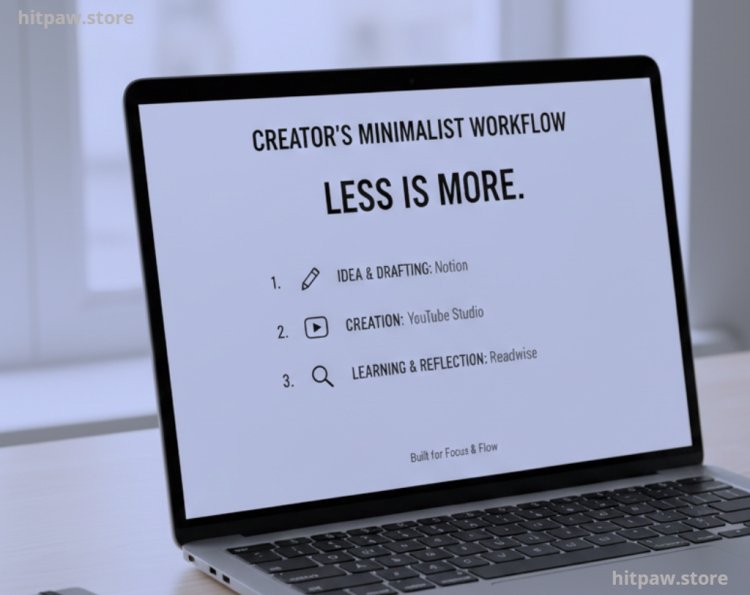
• Notion (with AI features enabled)
• ChatGPT Plus for ideation and structuring
• Grammarly Premium for writing polish
• Canva Pro for visuals
• CapCut for short form video editing
• Google Drive for asset management
I didn’t buy everything at once. I added tools only when a real problem appeared.
Practical Examples From My Real Creator Workflow
Example 1: Content Planning Without Burnout
I used to brainstorm content randomly. Some weeks I felt inspired, other weeks completely blocked. I fixed this by using Notion as a content command center.
I created:
• A content calendar
• A reusable content brief template
• An idea backlog
With Notion AI, I expanded rough ideas into outlines instead of starting from a blank page. This alone doubled my weekly output.
Example 2: Writing Faster Without Lowering Quality
Writing was my biggest time drain. Grammarly Premium helped with clarity and tone, but ChatGPT Plus changed how I draft.
I now:
• Draft rough versions quickly
• Refine structure manually
• Use AI only for clarity, not voice
This kept my writing human while cutting drafting time significantly.
Example 3: Visual Creation for Non Designers
I’m not a professional designer, but visuals are unavoidable for creators.
Canva Pro allowed me to:
• Create thumbnails
• Design social posts
• Build simple lead magnets
Instead of perfect design, I focused on consistency. That mattered more.
How I Built a Tool Stack That Works
Step 1: Identify Bottlenecks
I tracked one full week of work and noted where I lost time:
• Planning
• Writing
• Editing
• Organizing assets
Step 2: Assign One Tool Per Problem
One tool per task. No overlap.
• Planning > Notion
• Writing > ChatGPT + Grammarly
• Design > Canva
• Video > CapCut
Step 3: Build Simple Workflows
I avoided complex automations. Each workflow had 5 steps max.
Step 4: Remove Tools Ruthlessly
If a tool wasn’t used weekly, it was removed.
What I Got Wrong the First Time
Mistake 1: Tool Hoarding
I signed up for too many platforms. Productivity dropped because switching tools increased friction.
Fix: I reduced my stack to essentials only.
Mistake 2: Letting Tools Dictate My Process
I adapted my workflow to tools instead of choosing tools for my workflow.
Fix: I designed the process first, then added tools.
Mistake 3: Expecting Tools to Create Discipline
No tool creates consistency. Habits do.
Fix: I set fixed creation hours and used tools only inside those blocks.
Real Feedback I Received After Fixing My Workflow
• My writing felt clearer and more confident
• Publishing became predictable, not stressful
• Creative fatigue reduced
• I stopped procrastinating because next steps were always clear
The biggest feedback came from myself: I enjoyed creating again.
Keeping Tools Useful
|
Task |
Frequency |
Purpose |
|
Review tool usage |
Monthly |
Remove unused tools |
|
Update templates |
Quarterly |
Improve efficiency |
|
Backup assets |
Weekly |
Prevent data loss |
|
Learn one feature |
Monthly |
Gradual improvement |
Maintenance keeps tools from becoming clutter.
Tips From My Experience
From everything I’ve tested and used, one lesson stands out clearly: start simple and build from there. I’ve made the mistake of buying or installing too many tools at once, only to feel overwhelmed and end up using none of them properly. When I focused on mastering one tool at a time, my productivity improved much faster.
Another tip I swear by is setting up tools to match your habits, not someone else’s workflow. A tool is only powerful when it fits naturally into how you already work. I always spend a little time adjusting settings, shortcuts, and notifications so the tool supports me instead of distracting me.

Wrapping It Up
After using and testing different tools over time, one thing is clear to me: the right tools don’t just save time, they change how smoothly you work every single day. I’ve learned that productivity isn’t about having the most tools, but about choosing a few reliable ones that actually solve real problems in your workflow. When a tool removes friction, reduces stress, or helps you focus better, it becomes valuable almost immediately.
From my experience, practical tools make the best long term companions because they quietly support your work without demanding constant attention. Whether you’re buying for yourself or choosing a gift for someone else, always think about usability, learning curve, and how naturally the tool fits into daily routines. Simple, well chosen tools often outperform complex ones that never get used.
Frequently Asked Questions
1. Are these tools suitable for beginners or only experienced users?
From my experience, most of these tools work well for both beginners and experienced users. Beginners can start with default settings or basic features, while advanced users can explore deeper customization as their skills grow.
2. Do productivity tools really make a noticeable difference?
Yes, but only when used intentionally. I noticed real improvement when I picked tools that solved specific problems instead of using too many tools at once. One good tool used daily is better than five unused ones.
3. Are paid tools worth gifting compared to free options?
Free tools are great for testing, but paid tools usually offer better reliability, support, and long term value. As gifts, paid tools feel more thoughtful because they remove friction and save time for the recipient.
4. Can these tools be used for both personal and professional work?
Absolutely. I personally use the same tools for client projects and personal work. The key is flexibility tools that adapt to different workflows are always more valuable.
5. How do I choose the right tool as a gift for someone else?
I always look at how the person works daily. Are they creating content, managing tasks, or learning new skills? A tool that fits naturally into their routine will always be appreciated more than something trendy.
6. Will these tools still be useful in the long run?
Most of the tools I’ve shared are regularly updated and designed to grow with the user. Tools that focus on productivity, organization, or creativity usually remain useful even as technology evolves.
What's Your Reaction?