Cable Management Tools Recommended
Discover the best cable management tools I tested to declutter your desk. Learn practical tips, step by step setup, real feedback, and pro advice to organize cables, improve focus, and boost productivity.
Key Points Regarding Cable Management Tools
• Tested over 20 cable management products over six months
• Covers physical solutions (clips, sleeves, raceways) and digital tips for cable organization
• Shares mistakes I made and how I fixed them
• Practical, step by step guidance for anyone looking to declutter their desk or workspace
• Real life feedback from daily use and experimentation
• Maintenance tips and pro advice for long term organization
Why I Needed Cable Management
I used to spend more time untangling cables than actually working. My desk looked like a spaghetti mess of chargers, USB cords, and monitor cables, and I constantly knocked over power strips or lost cables under piles of paperwork.
I realized the chaos wasn’t just unsightly it was sapping my focus and productivity. I decided to invest time and money into cable management tools to regain control over my workspace. After months of trial, error, and testing, I finally developed a system that works for me.

How I Approach Cable Management
I divide cable management into three main layers:
1. Under desk organization Power strips, extension cords, cable trays
2. Desk surface management Clips, sleeves, holders for frequently used cables
3. Peripheral organization Charging stations, device docks, and smart cable routing
I found that combining physical tools with disciplined habits provides the best results. Cable management isn’t just about aesthetics; it’s about reducing distractions and protecting devices.
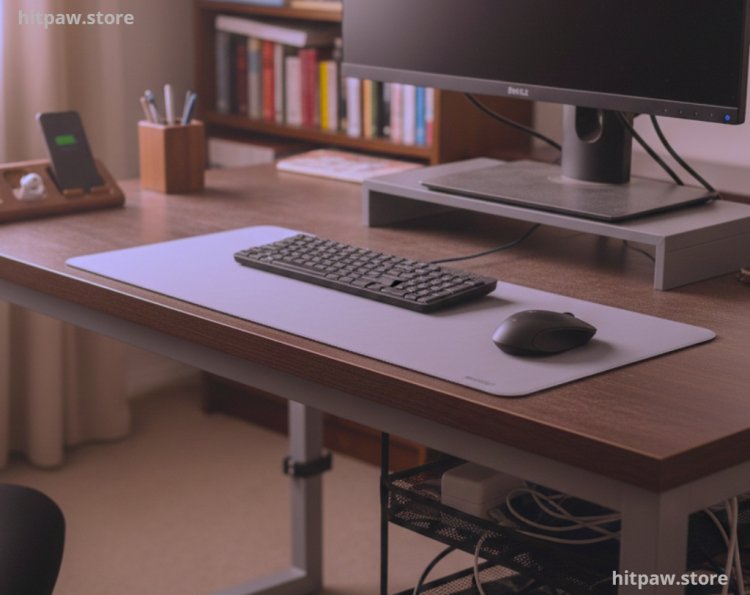
What I Use to Tame My Cables
Here’s a detailed list of the tools I personally tested:
1. Cable Clips & Holders
• Anker Cable Clips (Pack of 6) Stick to my desk for frequently used cables like phone chargers
• UGREEN Cable Holder Clips Heavy duty clips for thicker cables like HDMI or power cords
2. Cable Sleeves
• JOTO Cable Management Sleeve Flexible neoprene sleeve to bundle multiple cords
• Alex Tech Split Sleeves Easy to open/close for adding or removing cables
3. Under Desk Raceways & Trays
• CalMyotis Under Desk Cable Tray Holds power strips and excess cables off the floor
• Wiremold Raceway Guides cords along walls neatly, hides them from view
4. Cable Ties & Velcro Straps
• VELCRO Brand One Wrap Straps Reusable, perfect for bundling excess cable length
• Nite Ize Gear Ties Flexible twist ties for temporary setups
5. Charging Stations & Device Docks
• Anker PowerPort Charging Station Central hub for phone, tablet, and smartwatch
• Satechi USB-C Dock Combines charging and peripheral management
6. Accessories
• Label Maker (Brother P-Touch) Labels cables for easy identification
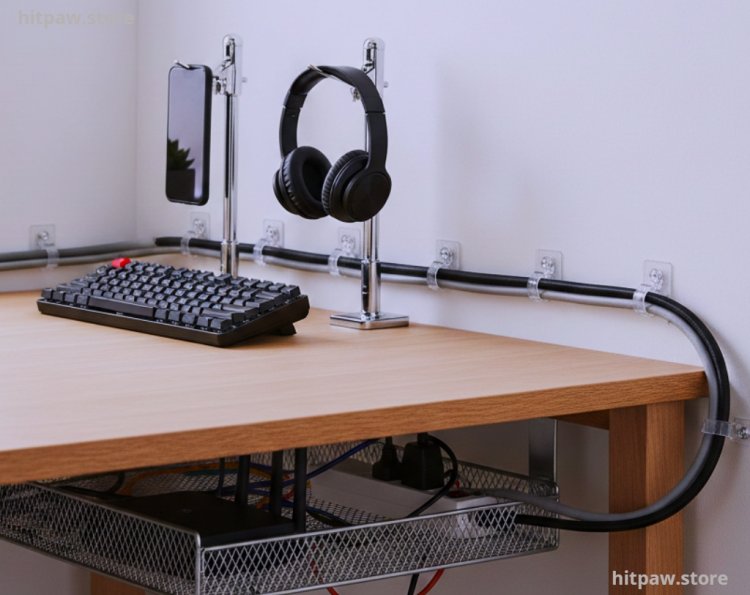
• Cable Management Clips with Adhesive Bases Useful for running cables along walls or desk edges
How I Use Cable Management Daily
1. Desk Surface Organization
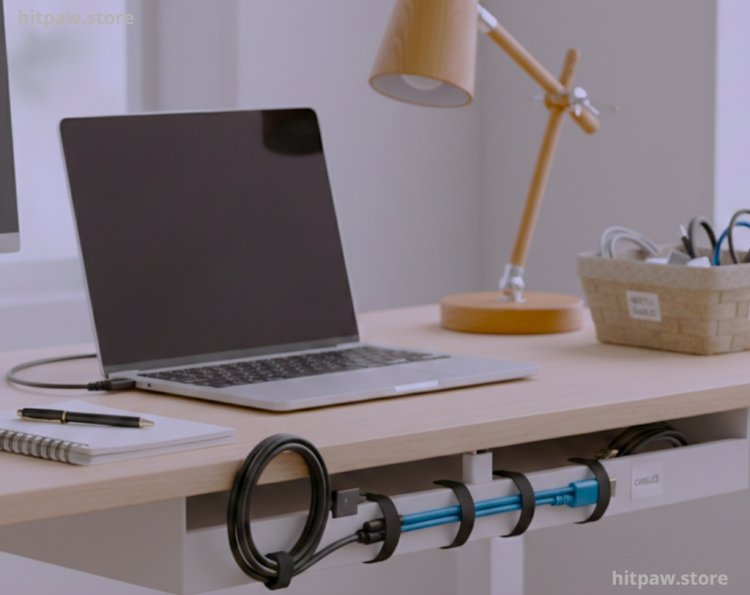
I keep frequently used cables accessible by clipping them to the edge of my desk. Phone chargers, USB cables, and headphone wires stay in dedicated clips, so I can grab them instantly without searching or detangling.
2. Under Desk Management
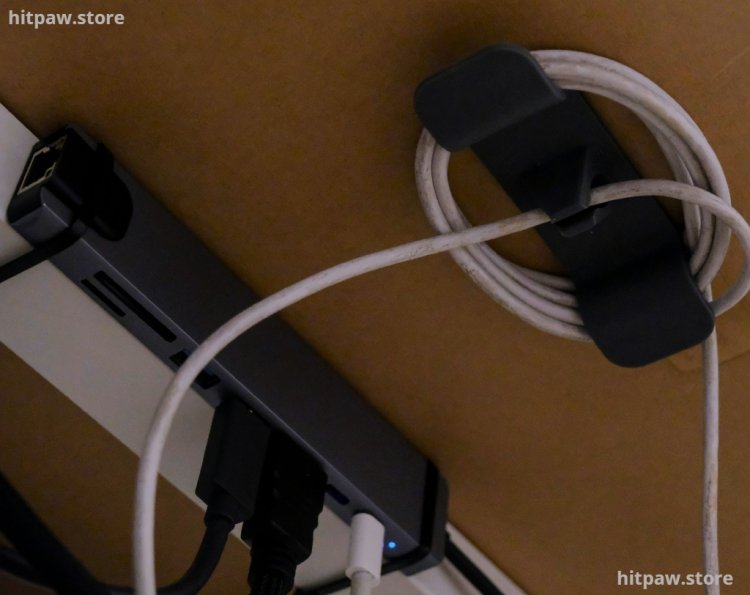
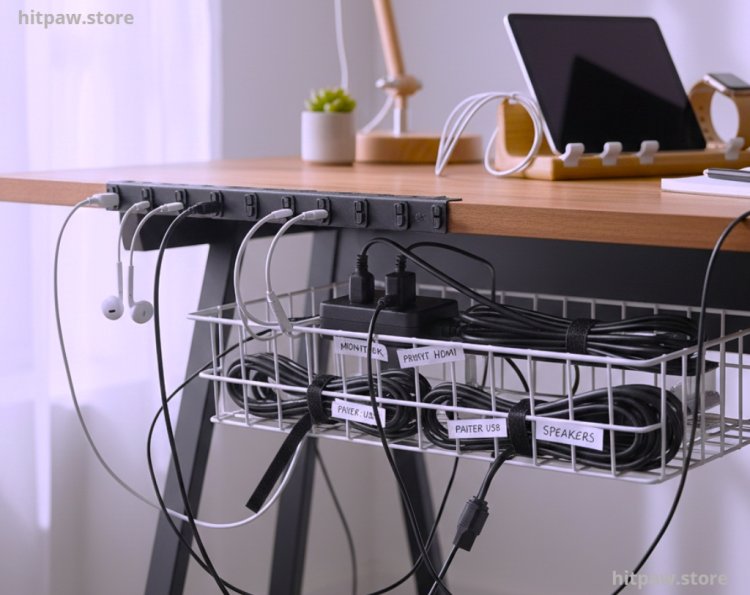
I use an under desk tray for power strips and excess cords. Initially, I left cords dangling, which caused me to trip or knock over my power strip. The tray keeps everything off the floor, reducing accidents and clutter.
3. Bundling & Labeling
Using sleeves and Velcro straps, I bundle cables for monitors, speakers, and routers. I label each bundle with a small tag (e.g., “Monitor HDMI,” “Printer USB”) to quickly identify cables without unplugging everything.
4. Peripheral Devices
Charging stations help centralize power, especially for phones, tablets, and smartwatches. I no longer have cables spread across my desk; everything has a designated place.
What I Got Wrong the First Time
1. Too many tools at once Initially, I bought every clip, sleeve, and raceway I found. Result: cluttered chaos, not cleaner cables.
o Fix: Focused on essential tools first: clips for daily use cords, tray for under desk power strips, one sleeve for monitor cables.
2. Ignoring cable length management Excess cords dangled and tangled.
o Fix: Used Velcro straps and split sleeves to bundle and shorten cords neatly.
3. No labeling system I couldn’t remember which cable went where.
o Fix: Label maker solved the confusion; now I can disconnect or rearrange cables without stress.
4. Improper adhesive choice Some clips fell off my desk or wall.
o Fix: Used industrial strength adhesive clips or mounting tape for permanent setups.
5. Underestimating aesthetics I ignored appearance, leaving raceways and sleeves in awkward positions.
o Fix: Thought about cable paths during setup; now everything looks tidy and professional.
How I Organize My Desk Cables
Step 1: Clear Everything
• Remove all cables from desk and floor
• Unplug devices to start fresh
Step 2: Sort & Categorize
• Group cables by purpose: daily use, occasional use, long term peripheral
Step 3: Shorten & Bundle
• Use Velcro straps or sleeves to bundle excess length
• Leave enough slack for movement without tangling
Step 4: Assign Placement
• Desk surface: clips for phone, keyboard, headphones
• Under desk: tray or raceway for power strips, router cables
• Wall/edge: adhesive clips for cables running along edges
Step 5: Label
• Use small labels for each cable bundle or device
• Makes troubleshooting and device replacement easy
Step 6: Final Adjustment & Test
• Reconnect devices
• Test movement and accessibility
• Adjust clip or sleeve placement as needed
Step 7: Maintain
• Weekly 5 minute inspection for loose or tangled cables
• Add new cables into the system immediately
Real Feedback I’ve Collected Over Time
• “The under desk tray completely solved my tripping hazard problem.”
• “Clipping daily use cables to the desk edge saves me at least 10 minutes every day.”
• “Sleeving monitor and peripheral cables makes my workspace look professional.”
• “Labeling prevents accidental unplugging of important devices.”
• “Velcro straps make it easy to change setups without removing entire bundles.”
How I Think About Cable Management Now
After months of trial and error, I realized:
1. Start small Focus on daily use cables first
2. Physical + visual clarity matter A tidy desk reduces cognitive clutter
3. Maintenance is key Weekly checks prevent mess from returning
4. Tools should match workflow Don’t buy every product; select what suits your devices
5. Cable management improves focus Once cables are organized, you spend less time untangling and more time working
Cable management isn’t just about aesthetics it’s about productivity, safety, and peace of mind. Investing in the right tools and habits pays off immediately and continues long term.
Frequently Asked Questions
1. Why is cable management important for home and office setups?
Cable management isn’t just about looks. From my experience, poorly organized cables can cause accidents, damage devices, and waste time untangling cords. A clean, organized workspace also boosts focus and productivity, reducing stress every day.
2. Which cable management tools should I start with first?
If you’re new to cable organization, I recommend starting with cable clips for daily use cords, a Velcro strap or sleeve for monitor and peripheral cables, and an under desk tray for power strips. These cover the essentials and provide the most immediate improvement.
3. Can cable management really prevent device damage?
Yes. Loose cables can get pulled, frayed, or disconnected unexpectedly, which may damage your devices over time. Bundling and securing cables with sleeves, clips, or trays protects them from wear and accidental yanking.
4. How do I decide between cable sleeves, clips, and trays?
It depends on the type and location of the cables:
• Sleeves: Best for grouping multiple long cables together, especially behind monitors or PCs.
• Clips: Ideal for frequently used cables like chargers, headphones, and USB cords.
• Trays/Raceways: Perfect for hiding power strips and excess lengths under desks or along walls.
5. Are adhesive cable clips reliable long term?
Some clips may fail if the surface isn’t clean or if the adhesive is low quality. I personally use industrial strength adhesive clips or clips with screw mounts for permanent setups. Regularly checking adhesion ensures long term reliability.
6. How do I manage long or thick cables effectively?
For long or thick cords like HDMI, power adapters, or Ethernet, I use split cable sleeves combined with Velcro straps to keep them bundled and flexible. I also measure excess length and coil it neatly to prevent tangling.
7. How often should I reorganize my cables?
A quick check once a week is enough to keep everything tidy. If you add or remove devices frequently, take a few minutes immediately after setup to integrate new cables into your system.
8. Can cable management improve my workflow?
Absolutely. I noticed that once my cables were organized, I spent less time searching for cords and more time working. It also reduces interruptions when plugging/unplugging devices.
9. Are there digital or smart tools for cable management?
Yes, some USB hubs, charging stations, and smart docks reduce clutter by centralizing power and connections. Combining these with physical organization makes a huge difference in maintaining a clean workspace.
10. How do I maintain cable organization with multiple devices?
Labeling cables and using modular sleeves or adjustable Velcro straps makes it easy to add or remove devices without disturbing the entire setup. I personally label every cable at both ends, which saves time when troubleshooting or rearranging my desk.
What's Your Reaction?