Practical Digital Gifts for Everyday Use
Discover my personal experience with practical digital gifts that truly make life easier. From productivity apps to smart tools, I share what worked, lessons learned, and tips to choose gifts that are actually used and appreciated.

Main Highlights Regarding Practical Digital Gifts
How digital gifts can genuinely improve daily productivity and lifestyle.
My personal experience testing a range of apps, tools, and devices.
Practical tips for choosing gifts that people actually use.
Step by step guide for evaluating digital tools before gifting.
Common mistakes I made while selecting digital gifts and how I corrected them.
Real feedback from friends, family, and colleagues after gifting digital tools.
How I Found Practical Tech Gifts That Save Me Time
I used to think digital gifts were impersonal just subscriptions, gadgets, or apps that might sit unused. Over time, I realized that the right digital gift, chosen with care, can actually make everyday life easier, more organized, and even enjoyable. I’ve tested everything from task management apps to smart home devices, and in this guide, I’ll share what worked, what didn’t, and the lessons I learned from gifting technology to the people in my life.
Whether you’re buying for a friend, a family member, or a colleague, this guide will help you pick practical, meaningful digital gifts that are truly useful.
Materials I Personally Used
Before diving into recommendations, here’s the “kit” I experimented with for my gift giving projects:
Smart Devices & Gadgets:
Amazon Echo Dot (4th Gen) for voice assistance and home automation.
Tile Pro Tracker helps locate keys, bags, or other everyday items.
Logitech MX Master 3 Mouse productivity boost for remote workers and designers.
Software & Apps:
Todoist Premium task management with reminders, labels, and priorities.
Notion Personal Pro note taking, planning, and collaboration platform.
Canva Pro design tool for creating graphics, presentations, and social media content.
Grammarly Premium writing assistant for clarity, grammar, and tone.
Subscriptions & Online Services:
Spotify Premium for music and focus playlists.
Blinkist condensed book summaries for learning on the go.
Adobe Creative Cloud Single App Plan Photoshop or Illustrator access for creative users.
Accessories:
USB-C Hub essential for laptop users with limited ports.
Noise Canceling Headphones I personally used Sony WH-1000XM5.
Portable SSD Drive Samsung T7 for fast storage and backups.
Step by Step Guide to Choosing Practical Digital Gifts
Step 1: Identify the Recipient’s Daily Pain Points
Before buying, I observed the person’s daily habits. For example:
My sister kept losing her keys, so a Tile Pro Tracker was perfect.
My friend struggled to organize his projects at work, so Todoist Premium made a huge difference.
My cousin loved designing social media posts, so gifting Canva Pro saved him hours each week.
Tip: Make a short mental checklist of daily frustrations before selecting a gift.
Step 2: Match the Gift to Real Life Use
I learned the hard way that flashy tech isn’t always practical. One year I bought a smart mug that kept coffee warm turns out my friend never used it. Now, I always ask myself:
Will this tool genuinely simplify a task?
Is it compatible with the devices they already own?
Will they realistically use it daily?
Step 3: Test the Tool Personally Before Gifting
I never give software or apps without trying them first. I installed Notion and created a sample workspace for a friend before gifting. This way, I could explain its functionality, set up templates, and make it easier for them to start using immediately.
Step 4: Set Up or Preconfigure the Gift
This is crucial for digital gifts. I’ve seen gadgets sit unused because setup was too complicated. I always:
Link devices to the user’s account (e.g., Amazon Echo setup).
Pre load apps with templates or starter projects (e.g., Notion workspace, Canva templates).
Add guides or short instructions for the first time user.
Tip: The easier it is to start, the higher the chance the gift will actually be used.
Step 5: Include a Practical Tip or Small Bonus
Even simple gifts benefit from context. For example:
With the Tile Pro, I showed my sister how to link it with her phone and Alexa.
With Canva Pro, I created a short guide of five time saving shortcuts.
These small touches make digital gifts feel thoughtful rather than generic.
Real Life Practical Examples from My Experience
Remote Work Friend:
I gifted Logitech MX Master 3 Mouse and Noise Canceling Headphones. Within a week, he messaged me:
“I can’t believe how much smoother my workflow is. No more wrist strain and the focus is unreal!”
Design Savvy Cousin:
I gave Canva Pro along with pre made templates. He started creating Instagram graphics immediately, saving hours each week.
Forgetful Sister:
Tile Pro Tracker saved her from losing her keys multiple times in the first month. She told me,
“I never realized how much stress I had about daily small things until this solved it.”
Aspiring Writer:
Grammarly Premium helped my friend polish blog posts faster and with confidence. He said he felt more professional and less anxious about errors.
What I Got Wrong the First Time
I used to buy digital gifts based on trends rather than practicality. One year, I bought a smartwatch for a friend who didn’t track fitness or notifications. Result? It sat unused in a drawer.
How I Fixed It:
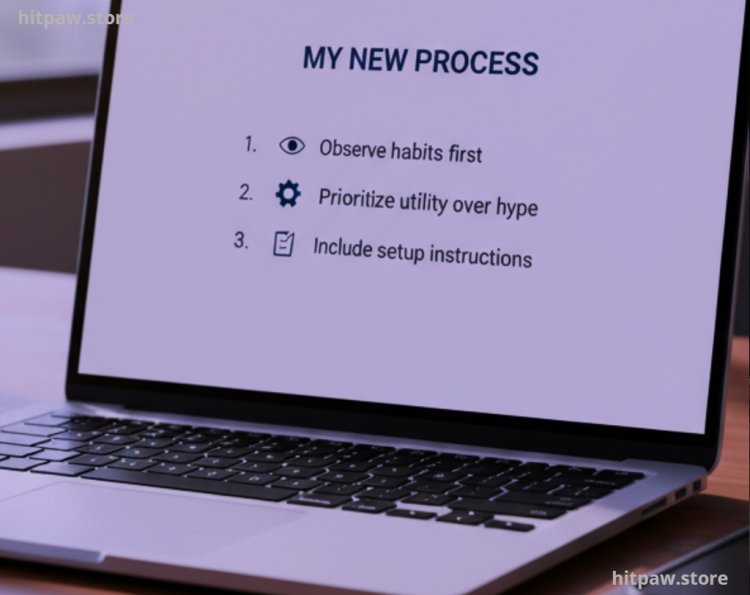
Now, I observe habits first, noting where digital tools can genuinely help.
I prioritize usefulness over hype or aesthetic appeal.
I combine software + setup instructions to ensure immediate usability.
Care Table for Digital Gifts
|
Gift |
Recommended Maintenance |
Notes |
|
Tile Pro Tracker |
Monthly battery check |
Replace battery if signal weak |
|
Logitech MX Master 3 |
Clean mouse & surface weekly |
Keeps sensors responsive |
|
Noise Canceling Headphones |
Charge fully every 2 weeks |
Firmware updates monthly |
|
Todoist / Notion |
Weekly review of tasks/workspaces |
Archive completed projects |
|
Canva Pro |
Update templates monthly |
Keep designs fresh and relevant |
Tips From My Experience
One thing I learned the hard way is that the best digital gifts aren’t just flashy or expensive they’re practical and immediately usable. For example, I once gifted a high end design software subscription without checking if the recipient actually used it regularly. Weeks later, I realized it was sitting unused because they didn’t know how to get started.
Now, my approach is simple: pair the gift with guidance or pre configured setups. If it’s an app, I add starter templates. If it’s a tool or gadget, I include step by step instructions or shortcuts. This small effort ensures the gift is appreciated, used, and genuinely makes life easier.
Final Advice
Digital gifts are most valuable when they solve a real problem or save time. From my personal experience, these gifts are not just items they’re tools that improve daily life. Focus on practicality, match gifts to habits, and always provide setup support or guidance.
When done thoughtfully, digital gifts are memorable, meaningful, and used consistently not just left to gather digital dust.
FAQs Useful Digital Gifts for Everyday Use
Q1: What types of digital gifts are actually useful for everyday life?
From my experience, the most practical gifts are those that save time, reduce stress, or enhance productivity. Examples include task management apps like Todoist, design tools like Canva Pro, cloud storage solutions, noise canceling headphones, and smart assistants like Amazon Echo.
Q2: How can I ensure a digital gift is genuinely used?
I always observe the recipient’s daily habits first. For instance, I noticed my friend struggled with organizing tasks, so Todoist Premium was perfect. Testing the tool myself and preconfiguring it ensures that the gift is immediately usable.
Q3: Can digital gifts be personalized?
Absolutely. You can add templates, starter projects, or preloaded settings. For apps like Notion or Canva, creating a ready to use workspace or design pack adds a personal touch that makes the gift far more meaningful.
Q4: Are subscriptions better than gadgets?
Both have value. Subscriptions offer ongoing utility (e.g., Spotify, Blinkist, Grammarly), while gadgets like portable SSDs or smart trackers provide tangible help. I’ve learned that pairing both types often makes the gift more appreciated.
Q5: What mistakes should I avoid when gifting digital tools?
The most common mistake I made was choosing trendy tools without checking if the person actually needed them. Another is giving software or devices without setup instructions, which can make the gift feel complicated or unusable.
Q6: Can digital gifts replace traditional gifts?
They can, but only when they solve a real problem or add daily value. I’ve found that people remember digital gifts more when they immediately improve their productivity, organization, or daily convenience.
Q7: Are digital gifts suitable for non tech savvy people?
Yes, but guidance is essential. I include a short tutorial, step by step setup, or starter templates to make adoption smooth. A little support goes a long way in ensuring the gift is used consistently.
What's Your Reaction?