Desk Tools for Better Focus
Discover how I transformed my workspace with the best desk tools for focus, from ergonomic chairs and standing desks to digital apps and productivity hacks. Learn practical tips, real feedback, and step by step routines to boost concentration and get more done every day.
Main Highlights Regarding Desk Tools for Better Focus
• Tested multiple desk setups, tools, and accessories over months
• Covers physical tools, digital tools, and hybrid systems
• Explains mistakes I made and how I fixed them
• Step by step integration into a daily workflow
• Real life examples and personal experiences
• Maintenance and care tips for long term usability
• Includes real feedback collected over weeks and months
Why I Needed Better Focus
For years, I struggled with focus. Despite being organized in theory, I would switch between emails, messages, meetings, and random tasks all day. By the afternoon, I felt exhausted but unproductive. My desk was cluttered, and my digital tools were scattered across multiple apps.
I realized that my environment was sabotaging my focus, and I needed a holistic approach. I decided to experiment with desk tools both physical and digital that could enhance concentration and make workflow smoother. Over months of trial and error, I discovered a combination of tools and routines that significantly boosted my focus and output.
How I Approach Desk Focus Tools
I’ve come to approach desk tools in three major categories:
1. Ergonomic tools Chairs, desks, and monitor arrangements
2. Focus enhancing devices Headphones, timers, and desk organizers
3. Digital productivity tools Apps for tasks, notes, and time management
I quickly learned that combining these elements, rather than relying on one, produces measurable improvements in focus.
What I Use to Improve Focus at My Desk
Here’s the complete set of tools I personally tested:
1. Ergonomic Desk Setup
• Standing Desk (FlexiSpot E7): Alternating between sitting and standing reduces fatigue. Initially, I ignored this and sat all day, which left me tired and distracted.
• Ergonomic Chair (Herman Miller Aeron): Adjustable lumbar support and armrests prevent posture related distractions.
• Monitor Stand / Laptop Riser: Keeps screen at eye level, reducing neck strain.
• Footrest: I use a small adjustable footrest for sitting sessions; it surprisingly increases comfort and focus.
2. Focus Enhancing Devices
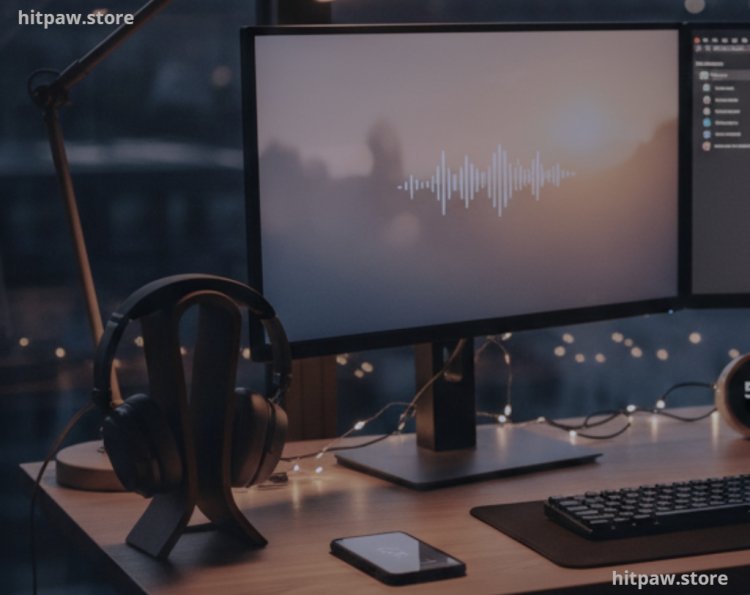
• Noise Canceling Headphones (Sony WH-1000XM5): Blocks environmental distractions, particularly useful when working in shared spaces.
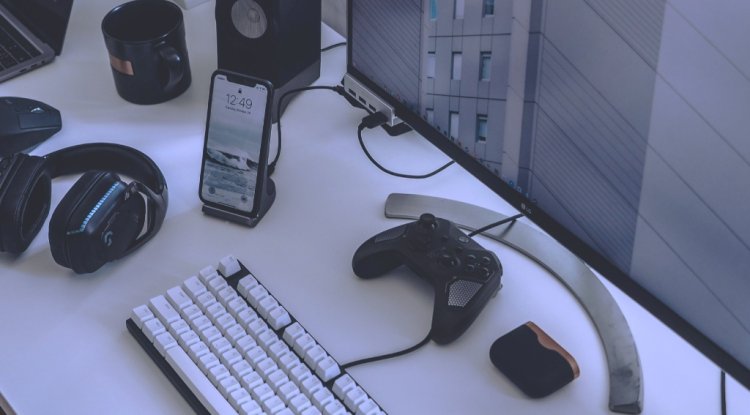
• Desk Organizer: Separates pens, sticky notes, chargers, and other essentials for instant accessibility.
• Pomodoro Timer / Forest App: Encourages time blocked focus sessions.
3. Digital Productivity Tools
• Todoist: Tracks tasks for daily, weekly, and monthly goals.
• Notion: Consolidates notes, projects, and ideas for easy reference.
• Spark Email App: Helps batch process emails, reducing constant interruptions.
4. Accessories for Comfort & Efficiency
• LED Desk Lamp: Adjustable brightness reduces eye strain and maintains focus during evening hours.
• Cable Management Clips: Keeps wires untangled for a clean, distraction free workspace.
• Small Desk Plant (Succulent): Creates a subtle calming effect, proven to reduce stress.
• Whiteboard / Sticky Notes: For visual reminders and quick brainstorming.
How I Use Desk Tools Daily
1. Ergonomic Workflow
I start my day by adjusting the standing desk to a comfortable height and setting the chair for sitting blocks. I alternate between sitting and standing every 60 to 90 minutes. I noticed my energy and alertness are much higher compared to sitting all day.
2. Digital Focus Tools
Todoist helps me prioritize the top 5 tasks of the day. I color code tasks: red for urgent, yellow for medium, green for low priority. Using Pomodoro timers, I dedicate 25 to 30 minutes to deep work, followed by 5 minute breaks. Combining Forest App with Pomodoro helps gamify focus sessions, which keeps me motivated.
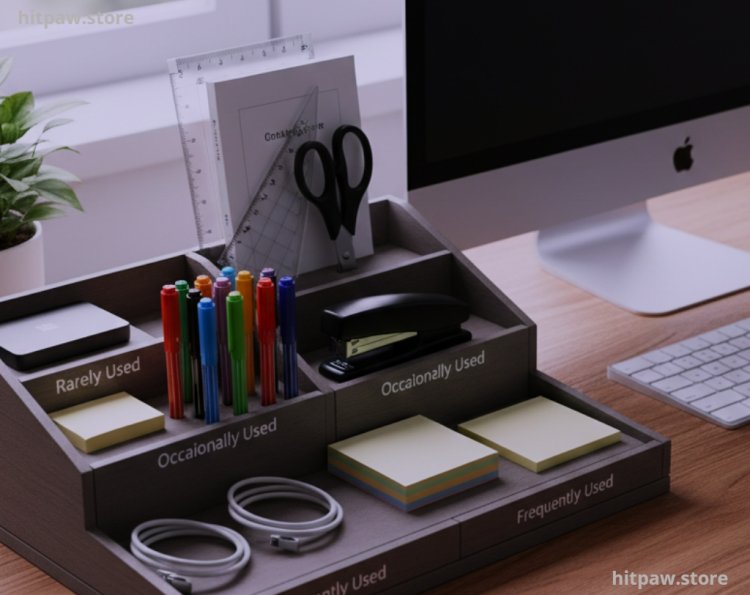
3. Desk Organization
The desk organizer keeps tools separated:
• Frequently used: pens, sticky notes, chargers
• Occasionally used: stapler, scissors, ruler
• Rarely used: external drives, manuals
This prevents me from breaking focus to find something, which saved hours each week.
4. Environmental Adjustments
I tested focus in different environments:
• Home office Minimal distractions, natural light
• Coffee shop Noise canceling headphones essential
• Shared workspace Desk organizer and scheduled focus blocks are crucial
I observed that tools alone aren’t enough; environment and routine are equally important.
What I Got Wrong the First Time
Even with careful planning, I made mistakes:
1. Too many apps I tried Todoist, Trello, Notion, Evernote, Google Keep at once. Result: confusion.
o Fix: Consolidated to Todoist for tasks, Notion for notes/projects.
2. Ignoring posture Sitting all day caused fatigue and lower focus.
o Fix: Introduced an ergonomic chair and monitor riser.
3. Skipping focused sessions Multitasking reduced efficiency.
o Fix: Used Pomodoro exclusively for deep work.
4. Desk clutter Piles of paper distracted me.
o Fix: 10 minute daily desk cleanup routine implemented.
5. Underestimating small comforts I ignored LED lamp, footrest, and small plant at first.
o Fix: Added these; subtle improvements in focus and mood were significant.
How I Use Desk Tools for Maximum Focus
Step 1: Clear the Desk
• Remove unnecessary items and clean the surface.
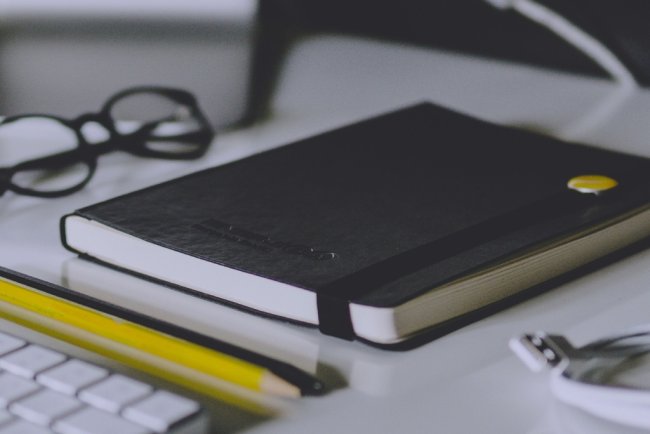
• Only keep essentials: notebook, pen, laptop, timer.
Step 2: Adjust Ergonomics
• Set desk height and chair for comfort.
• Use monitor/laptop riser to position screen at eye level.
Step 3: Plan Tasks
• Review Todoist for 5 to 7 top priority tasks.
• Allocate focus blocks with Pomodoro timer.
Step 4: Start Focus Session
• Put on noise canceling headphones.
• Start a Pomodoro timer or Forest app.
• Avoid phone, email, and chat notifications.
Step 5: Short Breaks
• Take 5 minutes to stretch, hydrate, or glance outside.
Step 6: End of Day Review
• Mark completed tasks; move incomplete tasks to the next day.
• Evaluate which tools worked best.
Step 7: Weekly Maintenance
• Clean desk and equipment.
• Archive completed projects in Notion or Todoist.
• Adjust focus routines as needed.
Real Feedback I’ve Collected Over Time
• “Noise canceling headphones improved focus; I finally finished long tasks without interruptions.”
• “Standing desk sessions increased my energy and reduced fatigue significantly.”
• “Desk organizers keep me from wasting time searching for pens or papers.”
• “Pomodoro sessions with Forest app helped me stay consistent with focus blocks.”
• “Adding a small plant subtly reduced stress and improved my mood during work.”
Advanced Focus Enhancements
• Ambient sound or music: I tested soft focus music and ambient nature sounds; some tasks improve with background audio.
• Lighting adjustments: Warmer lights for evening work, cooler lights for alertness during the day.
• Mindful breaks: 5 minute meditation or stretching during breaks improves subsequent focus sessions.
• Dual monitor setup: For multitasking, using two screens can improve efficiency if planned correctly.
How I Think About Desk Tools for Better Focus
After months of testing, I realized:
1. Less is more: Focus on a few effective tools.
2. Ergonomics matter: Posture and comfort directly impact focus.
3. Routine is essential: Daily use and focus sessions build sustainable productivity.
4. Physical + digital balance: Combining tangible desk tools with apps works best.
5. Continuous evaluation: Adjust tools and habits regularly for maximum efficiency.
A well equipped, organized desk combined with thoughtful routines makes focused work effortless and enjoyable.
Frequently Asked Questions
1. Do desk tools really improve focus, or is it just hype?
From my personal experience, the right desk tools can significantly enhance focus. Tools like ergonomic chairs, adjustable desks, noise canceling headphones, and desk organizers remove physical and mental distractions, making it easier to stay on task. That said, tools alone won’t work; they need to be paired with routines and structured work blocks.
2. Which desk tool should I invest in first?
If you’re just starting, I recommend noise canceling headphones and a task manager app like Todoist. Headphones block environmental distractions, while a task manager organizes your day, helping you focus on priority work. Once these are in place, you can gradually add other tools like a standing desk, desk organizer, or monitor riser.
3. Are standing desks really worth it for focus and productivity?
Yes, but only if used correctly. Alternating between sitting and standing every 60 to 90 minutes keeps energy levels high and reduces fatigue. Personally, I noticed my alertness increased and I was able to sustain focus longer than when I sat all day. However, if you have no space or budget, an ergonomic chair and monitor riser can provide most of the same benefits.
4. How do small desk accessories like plants and LED lamps help?
Small details can have surprisingly large effects. I use a succulent plant to create a calming workspace, which reduces stress during long focus sessions. An adjustable LED desk lamp ensures proper lighting, which prevents eye strain and keeps me alert. These small improvements cumulatively boost focus and productivity.
5. How often should I reorganize or clean my desk?
I follow a daily 5 to 10 minute desk cleanup routine to remove clutter and ensure tools are in their proper places. Once a week, I perform a deeper review: dusting surfaces, organizing cables, and archiving completed tasks in my digital apps. Regular maintenance is crucial; a cluttered desk equals a cluttered mind.
6. Can digital tools alone help improve focus?
Digital tools like Todoist, Notion, or Forest are extremely useful, but they work best when combined with physical organization and ergonomic tools. In my testing, relying solely on apps without an organized desk or comfortable setup didn’t deliver sustained focus I still got distracted physically or mentally.
7. Are Pomodoro sessions effective for long term productivity?
Absolutely. Short focus intervals (typically 25 to 30 minutes) train your brain to sustain concentration without fatigue. I pair Pomodoro with my Forest app, which gamifies focus and encourages consistency. Over months, I noticed that my ability to focus for extended periods naturally improved, even outside structured sessions.
8. How do I choose which tools to buy for my desk?
Start by identifying your biggest distractions or sources of discomfort. For me, it was background noise, poor posture, and scattered tools. Once you know your pain points, prioritize tools that directly address them. You don’t need everything at once start with one or two essentials, then add gradually based on experience.
9. Can these tools improve mental focus, not just physical organization?
Yes. A well organized workspace and the right tools reduce cognitive load. When I don’t have to think about where items are, adjust my monitor, or manage cables, my brain is free to focus entirely on the task at hand. Even small improvements like headphones blocking noise or a lamp reducing eye strain make a mental difference.
10. How long does it take to notice improvements after reorganizing my desk and using focus tools?
From my experience, small changes like decluttering or adding a Pomodoro timer can show results within days. More substantial improvements, like using a standing desk or reorganizing digital tools, typically show benefits within 2 to 4 weeks as your workflow and habits adapt.
What's Your Reaction?